Newsletter
Join the Community
Subscribe to our newsletter for the latest news and updates
Automatic Mac time tracker
Best for Mac users who will pay Professional $9/mo annual while they review a first 8h Activities timeline — then…
Verified 23 Oct 2026 · Asia/Shanghai
Pricing. Professional — Paddle 575979 annual $108/yr ($9/mo) · 575983 monthly $11.
Decide
Full notes belowTiming: Assigning Times and Creating Time Entries — official Timing for Mac channel. Official Timing how-to; Activities timeline is the cover.
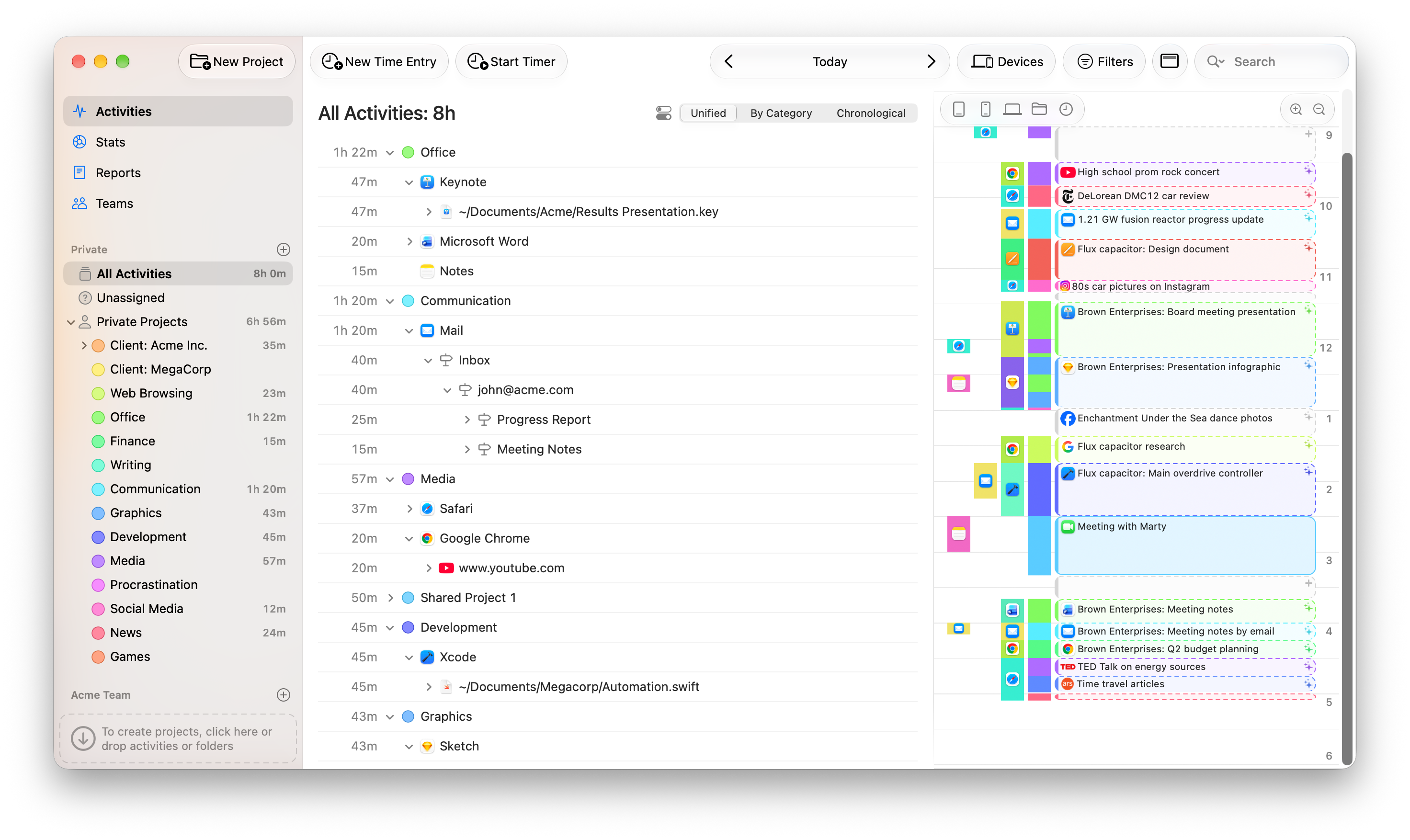
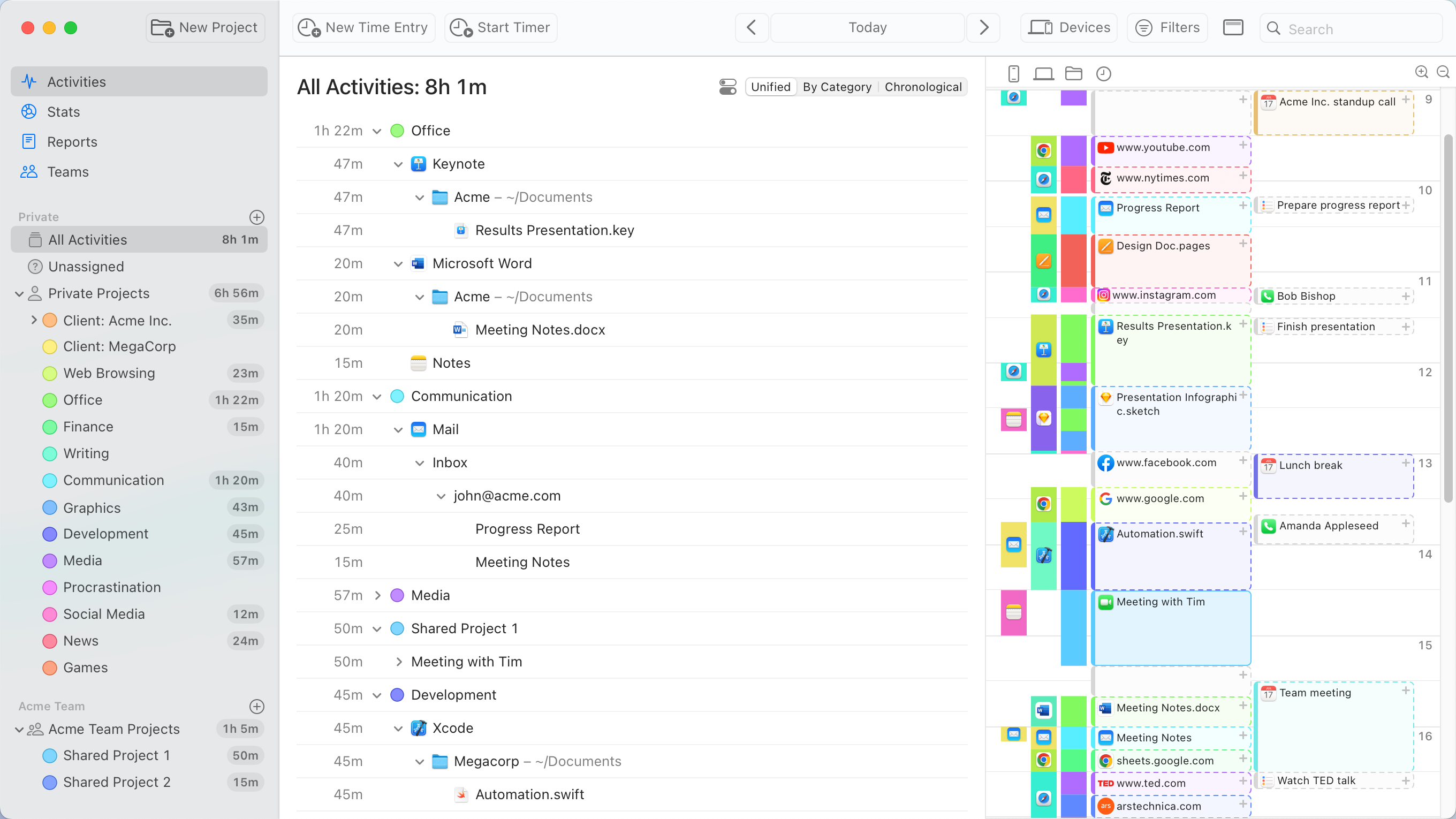
Timing is an automatic Mac time tracker: you open All Activities (8h), watch Office / Keynote / Word file into the timeline, and Professional is $108/yr ($9/mo). Use it when the job is hours the Mac records at a public $, not when you need Otter’s Basic free 300-min transcript only.
Soft-note: Professional / Expert / Connect ≈ $9 / $11 / $16/mo annual (monthly higher) + 30-day trial. Distinct from Granola, Fathom, and Otter.ai.
What makes it unique: the cover is Timing’s official Activities timeline (All Activities: 8h, Office / Keynote / Microsoft Word, Unified / By Category / Chronological, Acme Inc.) from timingapp.com/screens/activities_unified.png — not a wordmark. The Office 1h22m row itself is ops of Activities.
8h + Unified / By Category / Chronological (cover still; activities still). One desk. Cover Office sits here.~/Documents/Acme/Results Presentation.key / Microsoft Word (cover). Rows, not a Connect tile.Subscribe / Start trial are CTAs (not desks). Professional / Expert / Connect $ stay in Pricing. Connect MCP / Claude / ChatGPT stays off Key features as an AI extra.
Best fit: Mac users who will pay Professional $9/mo annual while they review a first 8h Activities timeline — then Expert at $11 when they need a second Mac + billing, not Connect $16 first unless they need MCP / team export.
Verified 2026-10-23 (Asia/Shanghai) from timingapp.com/pricing (window.tierProductIds) plus Paddle prices API. Soft-note: the pricing page hides $ in empty span.timing-price; Paddle prints the live USD.
Confirm the Paddle checkout; taxes may apply.
Office 1h22m.Official Timing for Mac channel video: Timing: Assigning Times and Creating Time Entries (oEmbed author: Timing for Mac; author_url @timingapp). First-party how-to; the Activities timeline is the cover. We searched @TimingApp (200) and @timingapp (200).
Written path: timingapp.com/pricing plus activities_unified.png and the Paddle product ids above.
Catalog row curated for AI Tools Nav. Cover is Timing’s official Activities timeline (All Activities 8h + Office/Keynote/Word + project rail) from timingapp.com/screens/activities_unified.png. Dollars checked on Paddle (Professional $108/yr / $11 mo; Expert $132 / $14; Connect $192 / $20; 30-day trial). Tutorial oEmbed author: Timing for Mac (@TimingApp). No invented GitHub.
2026-10-23 (Asia/Shanghai) editorial check.