Newsletter
Join the Community
Subscribe to our newsletter for the latest news and updates
AI meeting notetaker (bot or desktop)
How Circleback works — official Circleback channel. Official Circleback meeting-notes walkthrough.
Circleback is an AI meeting notetaker: a bot or the desktop app captures the call, then you get notes, action items, and Ask Circleback. Use it when the job is a searchable meeting doc with automations, not when you need TTS.
It is not open source. Free exists ($0). Pro is the first public paid card.
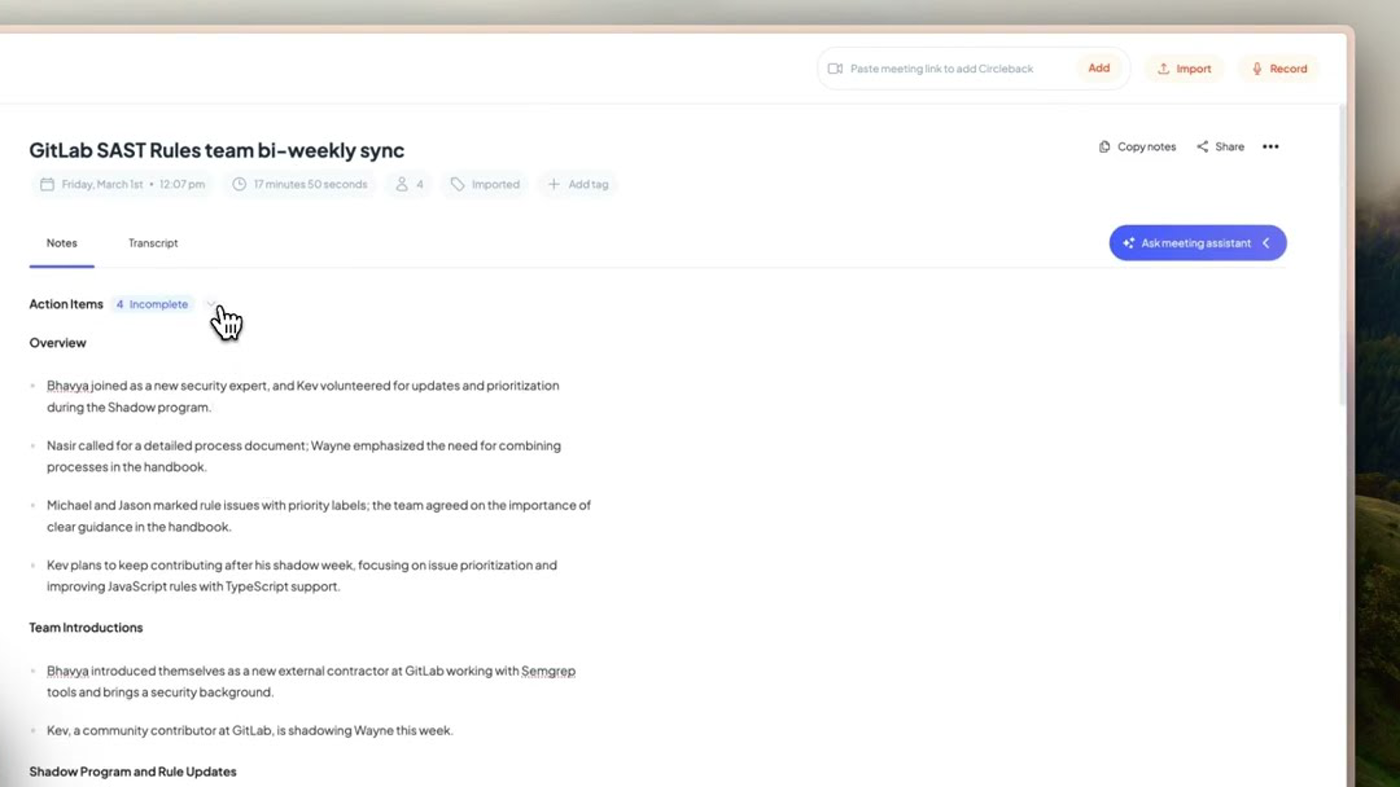
What makes it unique: the cover is Circleback’s official meeting-notes workspace from How Circleback works — GitLab SAST Rules team bi-weekly sync, Notes / Transcript, Action items, and Ask meeting assistant.
Best fit: sales and CS teams who want notes plus CRM automations and will pay when 30-day history locks.
Poor fit: people who only want a bot-free notepad (Granola) or a Chrome live-transcript panel (Tactiq).
Verified 2026-10-22 (Asia/Shanghai) from the live cards on circleback.ai/pricing plus Circleback’s Oct 2026 pricing compare. Displayed dollars can vary by region at checkout.
Official Circleback channel video: How Circleback works (oEmbed author: Circleback).
Written path: Meetings plus Edit meeting notes and Pricing.
Catalog row curated for AI Tools Nav. Cover is Circleback’s official meeting-notes workspace from How Circleback works (GitLab SAST sync + Notes / Action items). Dollars checked on circleback.ai/pricing (Free $0; Pro $15 / $18; Business $25 / $29; Enterprise $35 annual). Tutorial: official @circlebackai oEmbed.
2026-10-22 (Asia/Shanghai) editorial check.