Newsletter
Join the Community
Subscribe to our newsletter for the latest news and updates
OSS scheduling
Best for individuals who will stay on Free $0 (1 user, unlimited event types, calendar sync, no card) while they…
Pricing. Free — $0 forever.
Decide
Full notes belowCal.com is an open-source scheduling desk: you create an event type, share a link, and you can start Cloud Free at $0 (1 user) or self-host. Use it when the job is bookings you start at $0, not when you need a $20 chat seat.
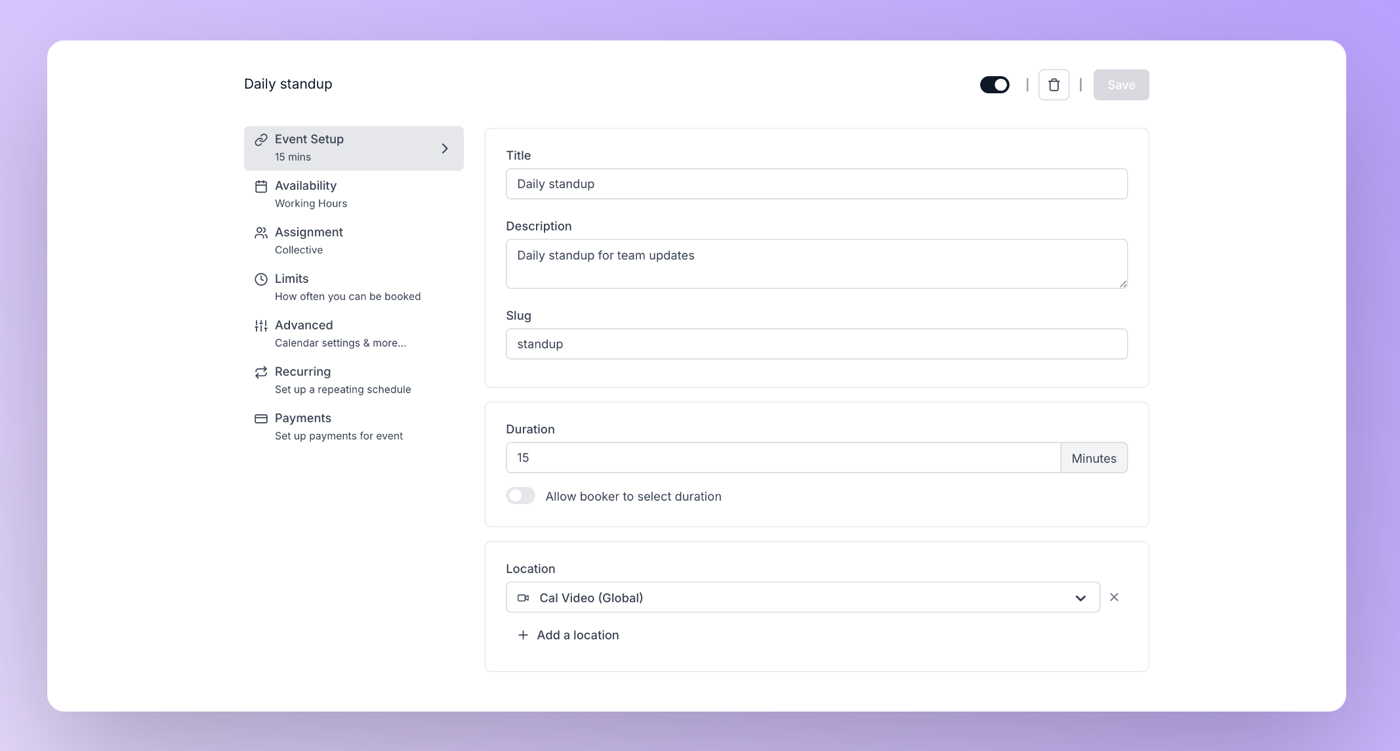
What makes it unique: the cover is the official Cal.com Event Setup (Daily standup, duration, Cal Video) from the event-type docs — not a pricing card. The form itself is ops of Event types.
Seats are the Cloud meter on Teams / Organizations. The dollars we fetched sit on the YEARLY toggle (Save 25%). A monthly toggle exists — do not invent a monthly card.
Best fit: individuals who will stay on Free $0 (1 user, unlimited event types, calendar sync, no card) while they publish a first standup link, then buy Teams at $12 per user / month billed yearly when a second booker needs a shared workspace.
Verified 2026-10-22 (Asia/Shanghai) from cal.com/pricing. Cloud is seats. The cards we fetched were on the YEARLY toggle.
Confirm checkout; taxes follow your location. Re-check the yearly/monthly toggle — do not invent the monthly dollar.
Official docs path only. The @calcom YouTube handle we opened resolved to Calcom de Mexico, not Cal.com, Inc. The @CalcomInc channel’s listed videos were brand/retreat stories, not a first-party product walkthrough we could embed on 2026-10-22 — do not embed a third-party “How to Use Cal.com” video (oEmbed author: Lvl 99 TechSkillz).
Written path: cal.com/pricing plus the event-type docs screenshot.
https://github.com/calcom/cal.com
Catalog row curated for AI Tools Nav. Cover is the official Cal.com Event Setup from the event-type docs. Dollars checked on cal.com/pricing (Free $0; Teams $12/user/mo yearly; Organizations $28/user/mo yearly; self-host $0).
2026-10-22 (Asia/Shanghai) editorial check.