Newsletter
Join the Community
Subscribe to our newsletter for the latest news and updates
Long-to-short clip desk
Best for podcasters and coaches who will pay Creator so more than Free’s 60 watermarked minutes and 3-day storage can…
Verified 22 Oct 2026 · Asia/Shanghai
Pricing. Free — $0.
Decide
Full notes belowHow to Get Started with Vizard 2.0 — official getting-started — official Vizard channel. Official Vizard 2.0 getting-started.
Vizard is a long-to-short clip desk: paste a YouTube URL or upload a webinar, get AI clips, then trim by transcript and publish. Use it when the job is many verticals from one long recording, not when you need a caption-first 15-second editor.
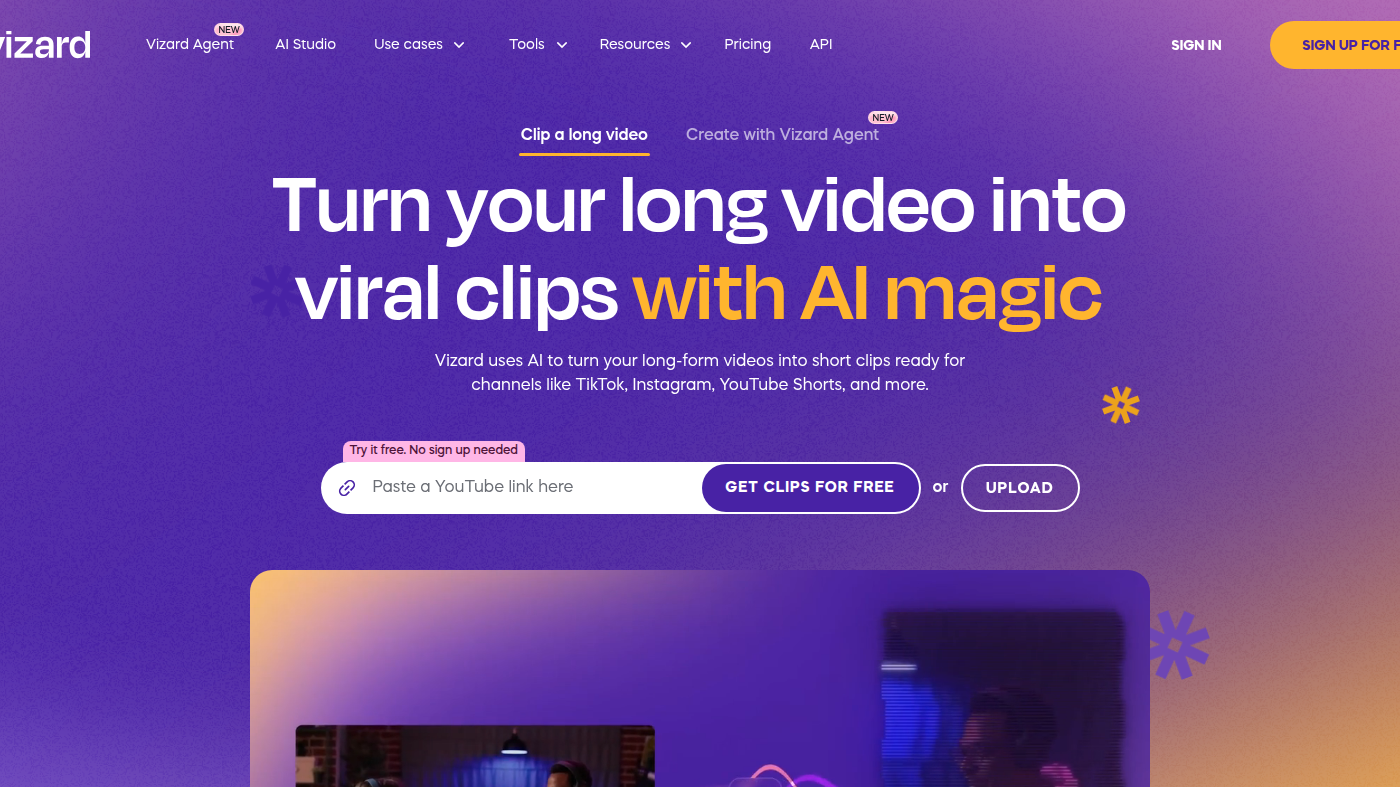
What makes it unique: the cover is Vizard’s own homepage import workspace — Paste a YouTube link, GET CLIPS FOR FREE, UPLOAD, and an AI clipping still — not a pricing card.
Brand kit / templates sit on Business. API clip_v2 is install / SDK. Upload minutes (1 credit = 1 minute) are the meter. 720p / 4K are SKU.
Best fit: podcasters and coaches who will pay Creator so more than Free’s 60 watermarked minutes and 3-day storage can ship 4K clips.
Verified 2026-10-22 (Asia/Shanghai) from vizard.ai/pricing with the Yearly · 50% OFF toggle. Cards we copied:
1 credit = 1 minute of uploaded video, whatever you export. Paid plans start at 600 credits / month (7,200 / year on the dropdown we opened). Help: monthly credits last 60 days; yearly 13 months. API is included on Creator+ (docs/pricing).
Official Vizard channel video: How to Get Started with Vizard 2.0 (oEmbed author: Vizard).
Written path: Vizard plus Pricing. Feature shorts (Agent, bilingual subs) stay on that channel.
Catalog row curated for AI Tools Nav. Cover is Vizard’s official homepage import workspace (YouTube paste + Get clips + AI clipping still). Dollars checked on vizard.ai/pricing yearly toggle (Free $0; Creator $14.50; Business $19.50 / mo). Tutorial oEmbed author: Vizard.
2026-10-22 (Asia/Shanghai) editorial check.