Newsletter
Join the Community
Subscribe to our newsletter for the latest news and updates
Seller photo/video desk
Best for shop owners who will pay Pro so more than Free’s limited remove/upscale can burn 600 credits, unlimited…
Verified 22 Oct 2026 · Asia/Shanghai
Pricing. Free — $0.
Decide
Full notes belowGetting Started with Pixa — official Pixelcut getting-started — official Pixelcut channel. Official Pixelcut getting-started (Pixa).
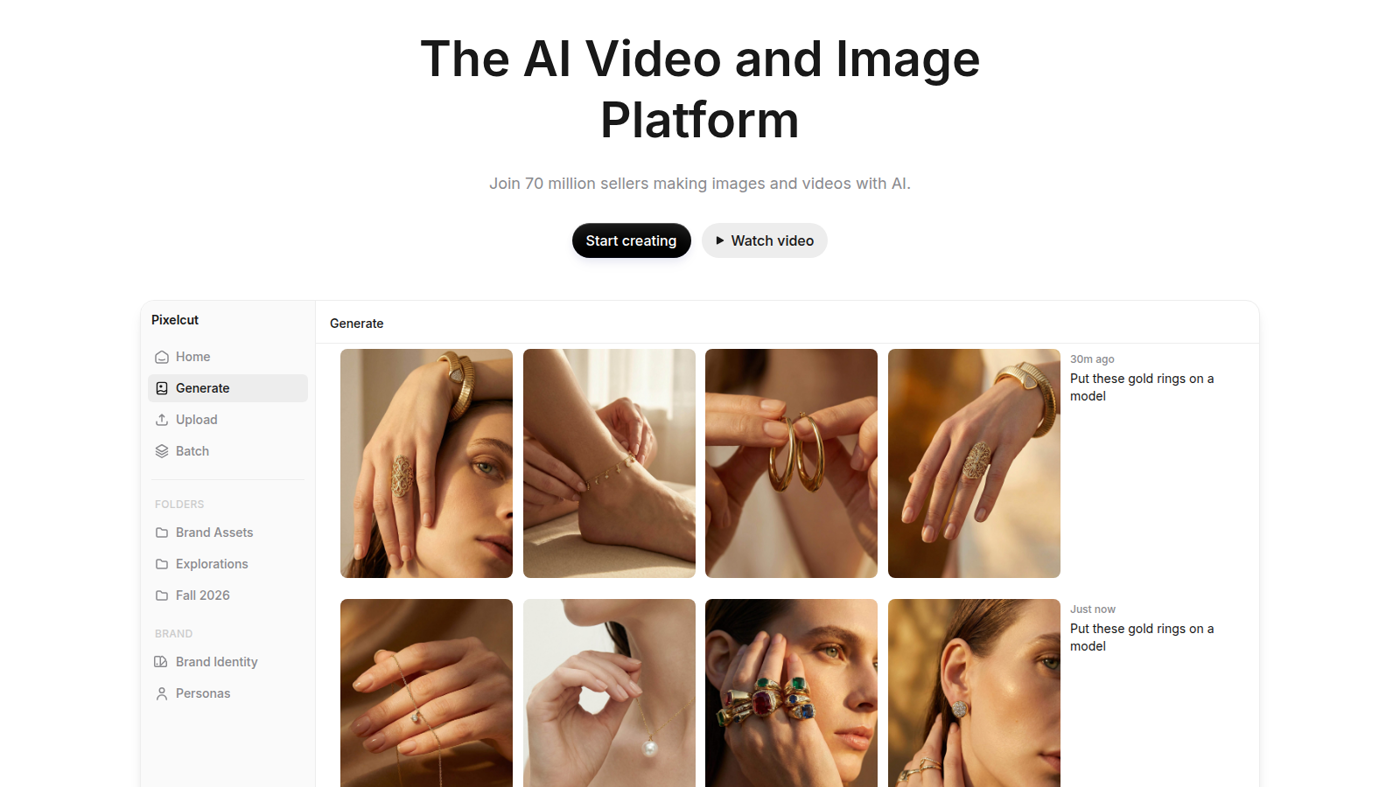
Pixelcut is a seller photo-and-video desk: generate a product shot, strip or swap the background, then batch-export or turn the still into a short clip. Use it when the job is marketplace-ready jewelry, apparel, or SKU photos, not when you need a general art generator.
What makes it unique: the cover is Pixelcut’s own homepage Generate workspace — gold rings on model hands, sidebar Generate / Upload / Batch, and prompts like “put these gold rings on a model” — not a pricing card.
The public API is install / SDK. AI credits are the meter. Model names (Nano Banana, Flux, Seedream, ChatGPT Image) are SKU.
Best fit: shop owners who will pay Pro so more than Free’s limited remove/upscale can burn 600 credits, unlimited remove/upscale, and a 3-person team.
Verified 2026-10-22 (Asia/Shanghai) from pixelcut.ai/pricing. Cards we copied were billed yearly.
Credits meter third-party image/video models; the FAQ lists how many images each model yields on a plan. Teams are included seats (not per-seat). Confirm checkout if you do not want annual.
Official Pixelcut channel video: Getting Started with Pixa (oEmbed author: Pixelcut). Pixa is Pixelcut’s getting-started name; the product URL stays pixelcut.ai.
Written path: Pricing plus the homepage Generate workspace.
Catalog row curated for AI Tools Nav. Cover is Pixelcut’s official homepage Generate workspace (gold-ring grid + Generate / Upload / Batch). Dollars checked on pixelcut.ai/pricing yearly cards (Free $0; Pro $8; Business $24 / mo). Tutorial oEmbed author: Pixelcut.
2026-10-22 (Asia/Shanghai) editorial check.