Newsletter
Join the Community
Subscribe to our newsletter for the latest news and updates
Browser video studio
How to Resize Any Video for Every Social Media (Kapwing 2023 Tutorial) — official Kapwing channel. Official Kapwing resize tutorial on the Studio timeline.
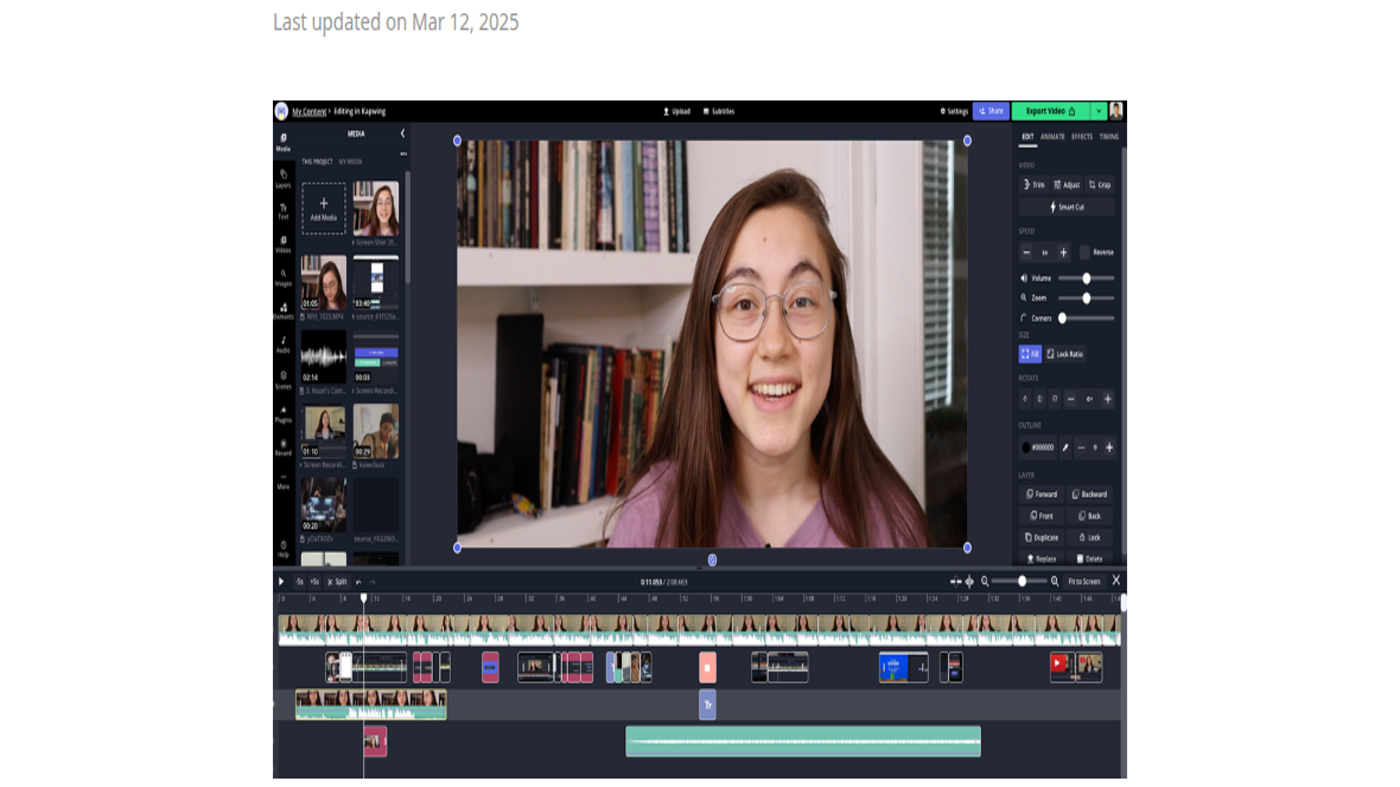
Kapwing is a browser video studio: the official Getting Started still (see the cover: talking-head preview, media bin, inspector, timeline) is the product. Use it when the job is cut, caption, resize, or repurpose a clip in the browser, not when you need a generative video model as the product.
It is not open source. Free exists ($0). Pro is the first public paid card.
What makes it unique: the cover is Kapwing’s own Studio screenshot from the official help article — preview + timeline — not a blank canvas.
Best fit: social teams who already have footage and need captions / resize / collab in one tab.
Poor fit: people who want a transcript-first podcast cut (Descript) or a prompt-to-video model (Runway).
Verified 2026-10-21 (Asia/Shanghai) from the live cards on kapwing.com/pricing. Displayed dollars can vary by region at checkout.
Official Kapwing channel video: How to Resize Any Video for Every Social Media (Kapwing 2023 Tutorial) (oEmbed author: Kapwing).
Written path: Getting Started with Kapwing Studio plus Pricing.
Catalog row curated for AI Tools Nav. Cover is Kapwing’s official Studio still from the Getting Started help article (talking-head + timeline). Dollars checked on kapwing.com/pricing (Free $0; Pro $16 annual / $24 monthly; Business $50 / $64). Tutorial: How to Resize Any Video on @Kapwing (oEmbed).
2026-10-21 (Asia/Shanghai) editorial check.