Newsletter
Join the Community
Subscribe to our newsletter for the latest news and updates
Hosted image/video studio
How to Use getimg.ai 2.0 | getimg.ai — official getimg channel. Official getimg.ai 2.0 workspace walkthrough.
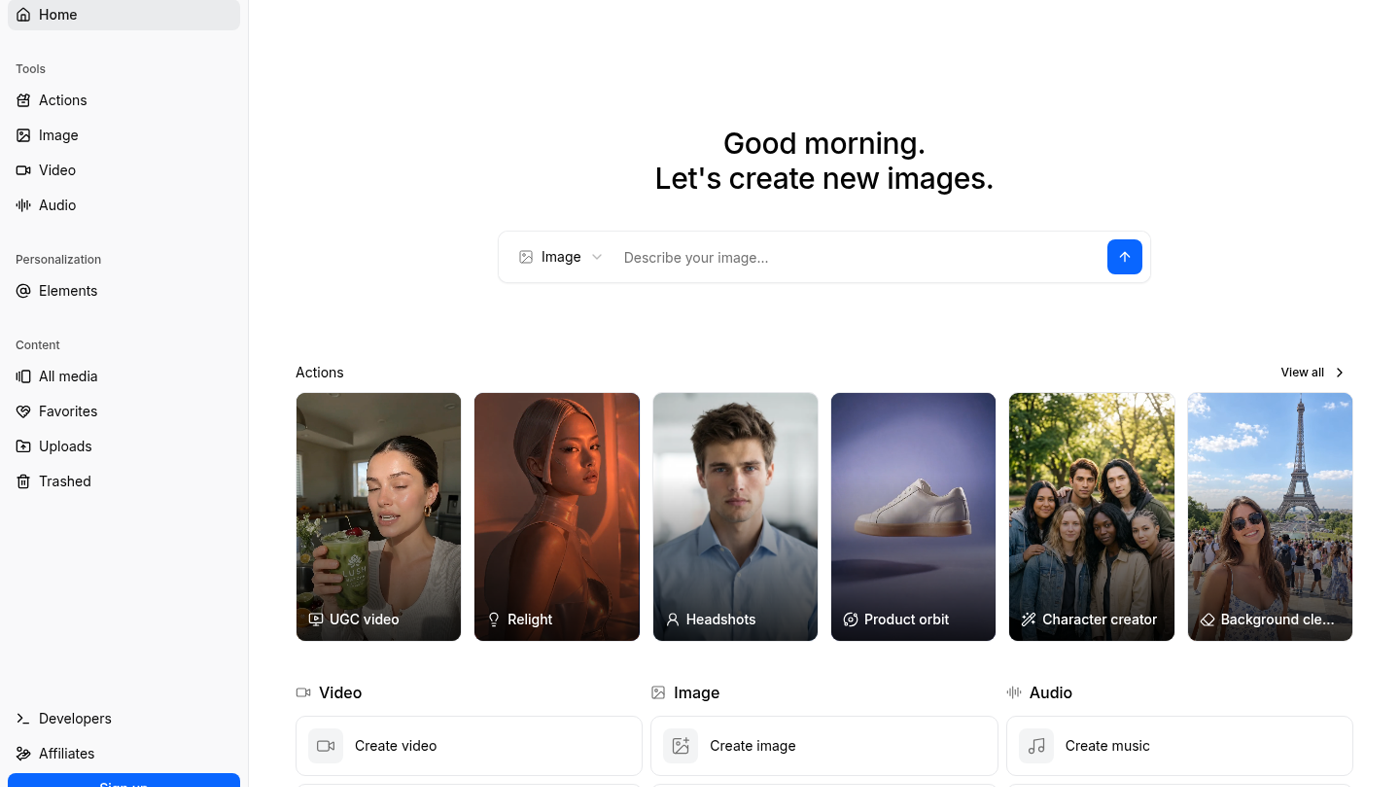
getimg.ai is a hosted image / video / audio studio: the signed-out app workbench (see the cover: sidebar Actions / Image / Video, prompt box, generated Action cards) is the product. Use it when the job is pick a model and generate in one workspace, not when you want a local Comfy graph.
It is not open source. Paid Entry is the first public dollar card. A signed-out composer exists.
What makes it unique: the cover is the live getimg.ai/app workbench with real generated outputs — Relight, Headshots, Product orbit — not a marketing hero.
Best fit: solo image/video makers who will burn a monthly credit pool across several models.
Poor fit: people who want a local node graph (ComfyUI) or a single-purpose cutout (remove.bg).
Verified 2026-10-21 (Asia/Shanghai) from the live cards on getimg.ai/pricing. Displayed dollars can vary by region at checkout. Yearly toggle prints Save 26%.
Official getimg channel video: How to Use getimg.ai 2.0 | getimg.ai (oEmbed author: getimg).
Written path: getimg.ai/app plus Guides and Pricing.
Catalog row curated for AI Tools Nav. Cover is the live getimg.ai/app workbench (sidebar + prompt + generated Action cards). Dollars checked on getimg.ai/pricing (Entry $15; Core $35 / $26 yr; Plus $79 / $59; Ultra $199 / $149). Tutorial: How to Use getimg.ai 2.0 on @getimg_ai (oEmbed).
2026-10-21 (Asia/Shanghai) editorial check.