Newsletter
Join the Community
Subscribe to our newsletter for the latest news and updates
Wonder Studio, now Flow Studio
Introducing Autodesk Flow Studio (formerly Wonder Studio) — official Autodesk Flow Studio channel. Official Autodesk Flow Studio introduction on the Autodesk Flow Studio channel.
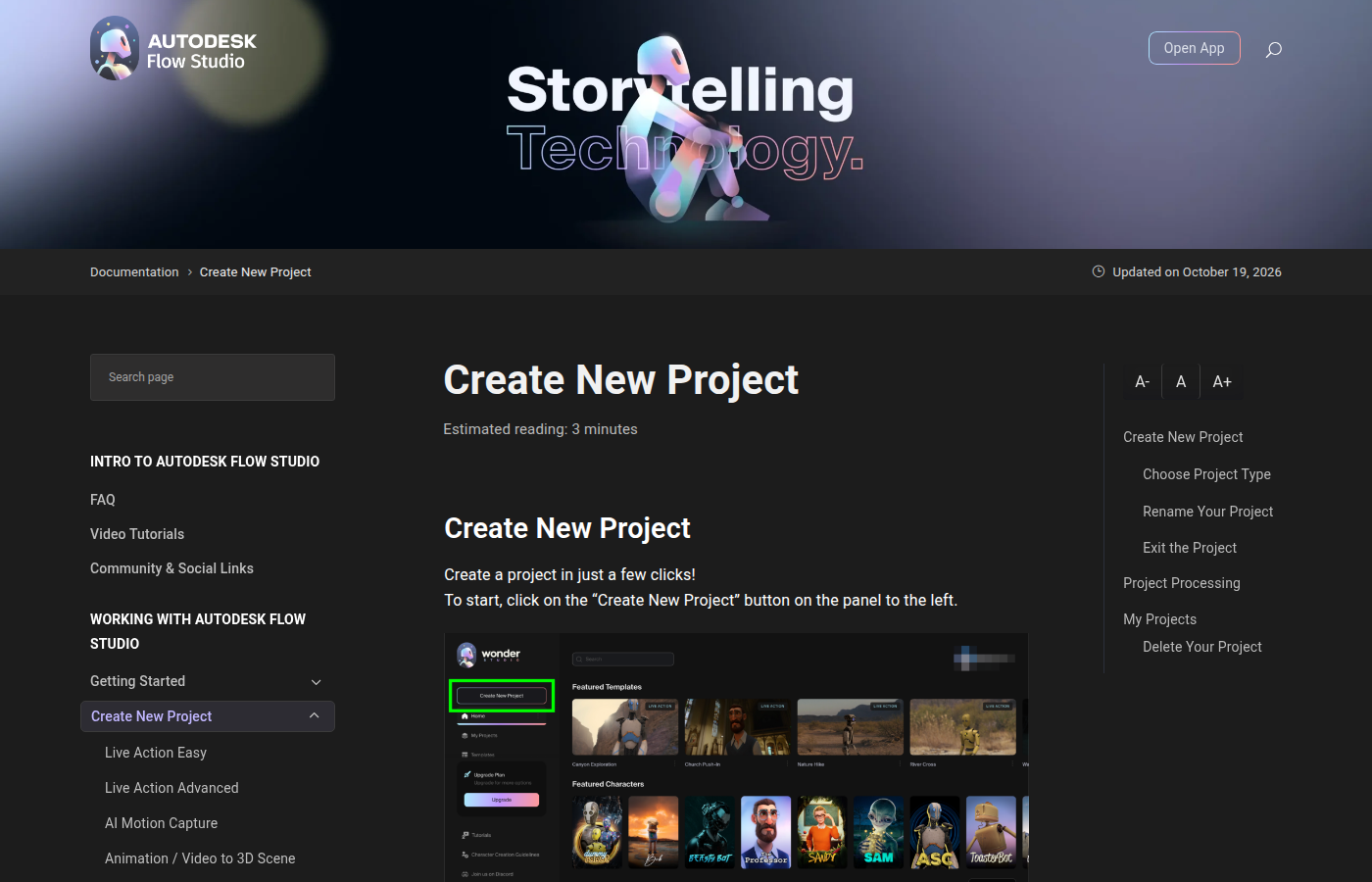
Autodesk Flow Studio (formerly Wonder Studio / Wonder Dynamics) is a hosted live-action VFX and mocap workspace: you film an actor, assign a CG character, and the app tracks body, face, camera, and lighting. The official Create New Project help still (see the cover) is the project grid with templates and featured characters. Use it when the job is composite a character onto a filmed plate.
Hosted Autodesk product. Free exists (300 credits / month on the Buy page).
What makes it unique: the cover is Autodesk’s own Create New Project chrome (project grid + templates), and the Buy page prints annual seat dollars.
Best fit: indie filmmakers and VFX students who will shoot a plate and pay credits for the composite.
Verified 2026-10-22 (Asia/Shanghai) from the live Buy Flow Studio cards (JS-rendered paid annually) and the 28 Sep 2026 pricing guide. Re-check monthly list.
Credit burns in the guide: Live Action / Animation 20 credits/second; AI MoCap 10; Wonder Tools clean plate & camera track 7.
Official Autodesk Flow Studio channel video (oEmbed author: Autodesk Flow Studio).
Written Video Tutorials plus Buy Flow Studio. Step-by-step: Live Action Easy on @AutodeskME.
https://www.autodesk.com/products/flow-studio/overview
Catalog row curated for AI Tools Nav. Cover is Autodesk Flow Studio’s official Create New Project help still (project grid + templates). Annual dollars checked on autodesk.com/products/flow-studio/buy (Free $0; Lite $7; Standard $30; Pro $64). Tutorial: Introducing Autodesk Flow Studio on @autodeskflowstudio (oEmbed).
2026-10-22 (Asia/Shanghai) editorial check.