Newsletter
Join the Community
Subscribe to our newsletter for the latest news and updates
Document-to-PowerPoint workspace
Best for consultants and teachers who already have a PDF or Word file and will pay Premium for more than three decks
Verified 22 Oct 2026 · Asia/Shanghai
Pricing. Free — $0, free forever.
Decide
Full notes belowHow to create a PowerPoint presentation from PDF with SlideSpeak AI — official SlideSpeak channel. Official SlideSpeak PDF-to-deck walkthrough.
SlideSpeak is a document-to-PowerPoint workspace: upload Word / PDF / Excel or type a topic and it builds an editable native PPT. Use it when the job is a finished deck from a file, not when you need a Google Slides add-on.
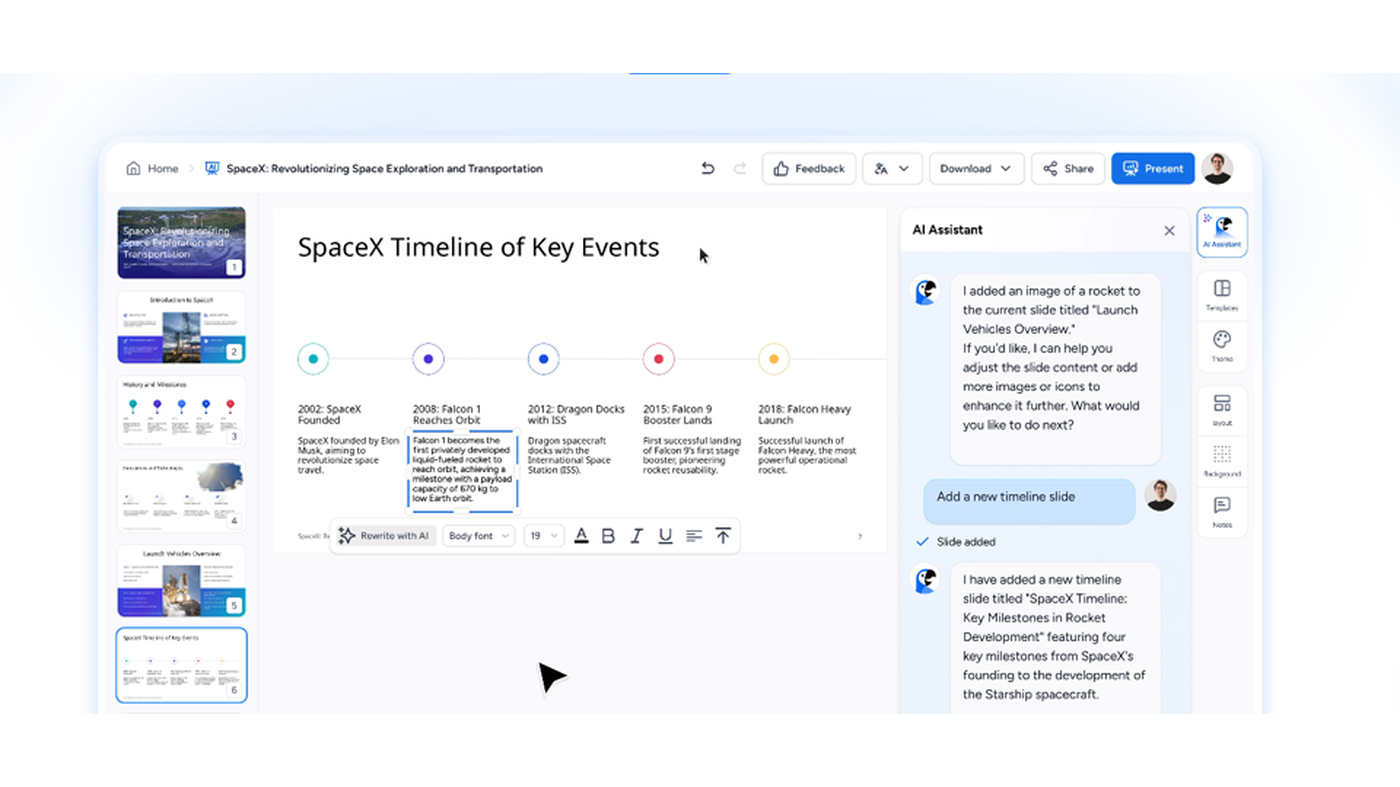
What makes it unique: the cover is SlideSpeak’s own homepage editor still — a SpaceX timeline slide, thumbnails, and the AI Assistant (Charles).
Translate, redesign, and AI images sit on the edit / generate chrome. Credits and API are meter or SDK.
Best fit: consultants and teachers who already have a PDF or Word file and will pay Premium for more than three decks.
Verified 2026-10-22 (Asia/Shanghai) from slidespeak.co/pricing. Page copy: prices in USD, billed monthly unless otherwise stated. A Help article still prints Premium Plus at $34/month — we copy the public pricing page, not Help.
Credit packs on the same page: $10 / $30 / $50 (about 13 / 53 / 133 presentations; credits last 12 months). Paid-plan credits refresh each cycle.
Official SlideSpeak channel video: How to create a PowerPoint presentation from PDF with SlideSpeak AI.
Written path: Getting started with AI presentations plus Pricing.
Catalog row curated for AI Tools Nav. Cover is SlideSpeak’s official homepage editor still (SpaceX timeline + AI Assistant). Dollars checked on slidespeak.co/pricing (Free $0; Premium $29/mo; Plus $40/mo; template $129). Tutorial oEmbed author: SlideSpeak.
2026-10-22 (Asia/Shanghai) editorial check.